Report for Collecting NARS Information:
The report to run will be Reports > Activities > Activity Reports > Activity Details.
As a filtering option, they will now see the following:

This filter is only applied when they select one of the certificate options. NOTE: Certificate Types/Names vary by site.
Also apply any other filters needed:
- Activity TypePARS Reporting YearDate Range
In this example, 'Course' activity type was selected as an additional criteria. The resulting list of activities will include all activities that were assigned a 'Nursing' certificate.
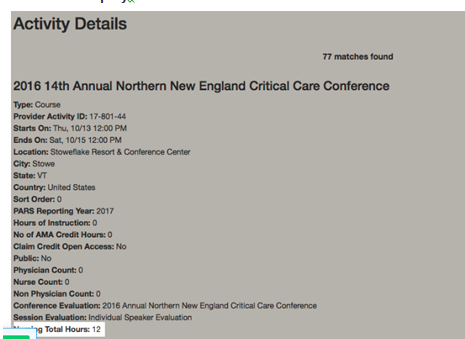
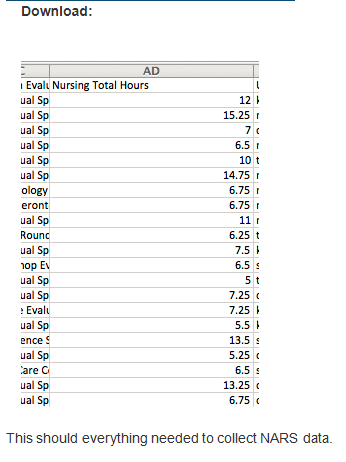
Both the on-screen display and download will include the total hours for review, if the checkbox "Include selected certificates in output" was checked
On-Screen Display: