The following reporting options will allow you to pull 'Pending Credit' information.
NOTE: All credit reports will display 'Claimed/Awarded' credit by default and 'Pending' credit will be excluded unless you specifically filter to include 'Pending' credit.
OPTION 1: Reports > People > Credit Reports > Credits Report
NOTE: This report is good for Activities users have Pre-Registered for.
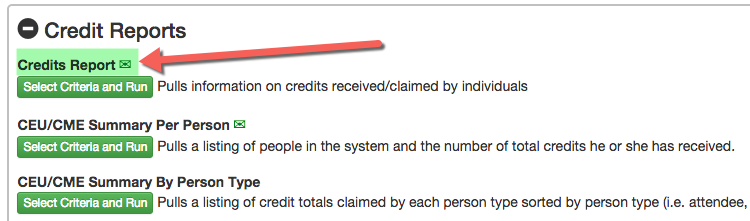
STEP 1 - Select Filter Options > narrow down your results by person or Registered participants of an Activity.
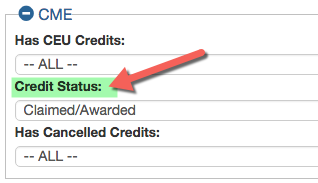
Under the 'CME' section there is a 'Credit Status' filter. It will pull 'Claimed/Awarded' credit by default. Change the status to 'Pending' and pull a list of anyone with Pending Credit.
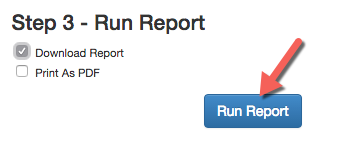
STEP 3 - Run Report > Select the 'Download Report' option to pull the report in .CSV format and click 'Run Report'
OPTION 2: Reports > Sessions > CME Reports > Credits By Session
NOTE: This report is good for RSS Sessions
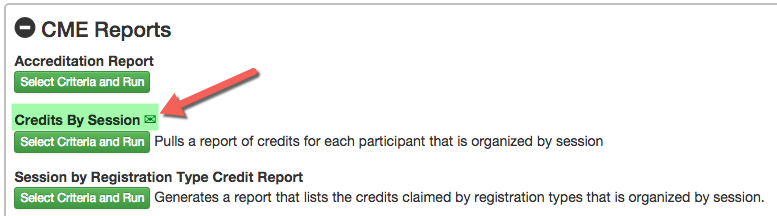
STEP 1 - Select Filter Options > narrow down your results by Activity or Session
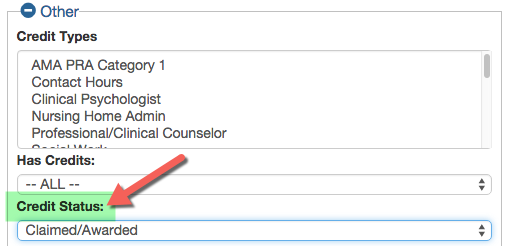
Under the 'CME' section there is a 'Credit Status' filter. It will pull 'Claimed/Awarded' credit by default. Change the status to 'Pending' and pull a list of anyone with Pending Credit.
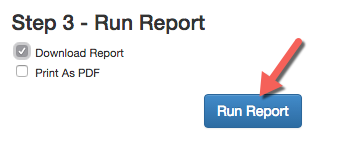
STEP 3 - Run Report > Select the 'Download Report' option to pull the report in .CSV format and click 'Run Report'
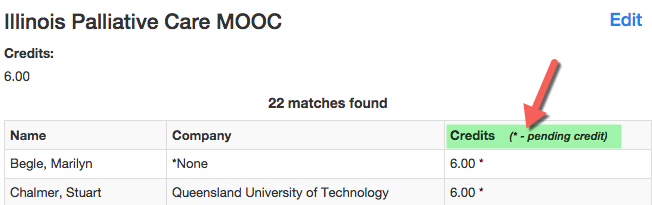
The results will display on the screen. Pending Credits are indicated with an asterisk (*)