To add images to the form questions
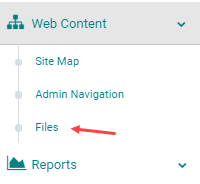
Go to Web Content > Files
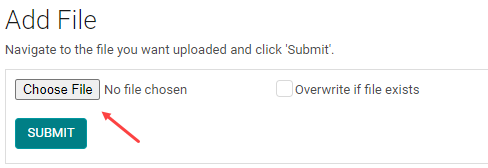
Click on Choose File and select the file on your system.
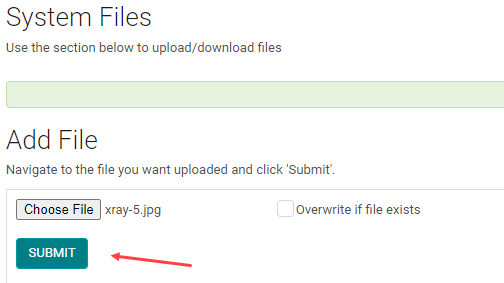
Click Submit
Once the file is added copy the file link

Now, go to the form and click Add Question

Enter the Question name and Question type like you would normally do.
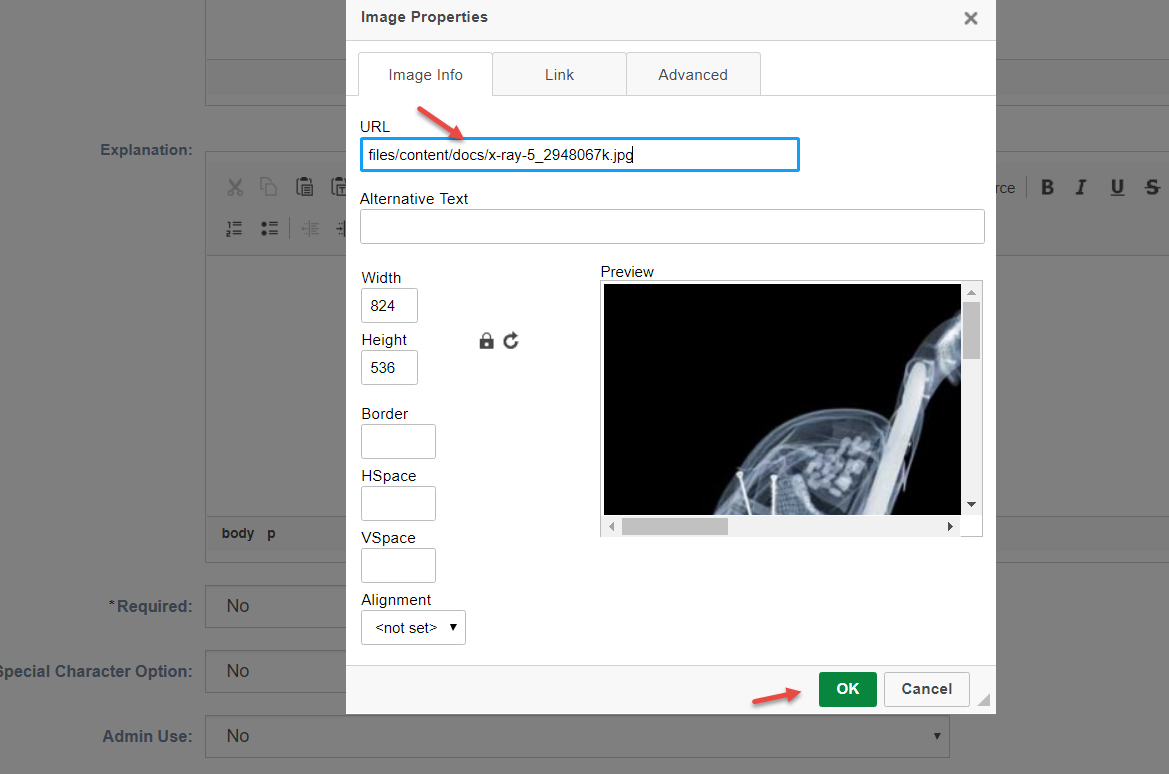
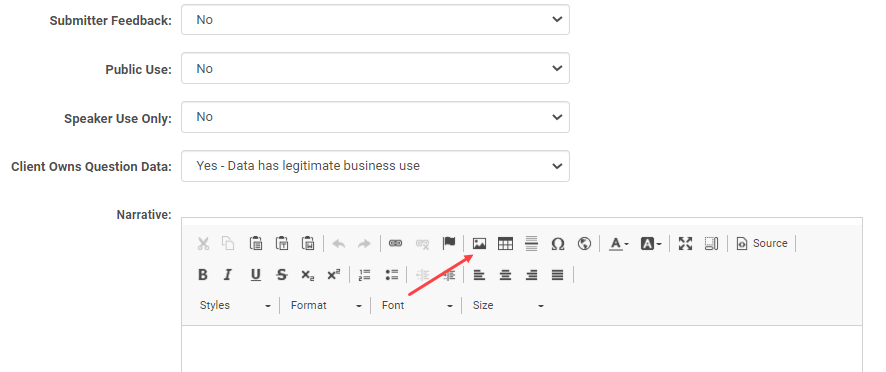
If the Post test is for an Enduring Material or Self Assessment Session, click on the image upload icon under the Narrative.
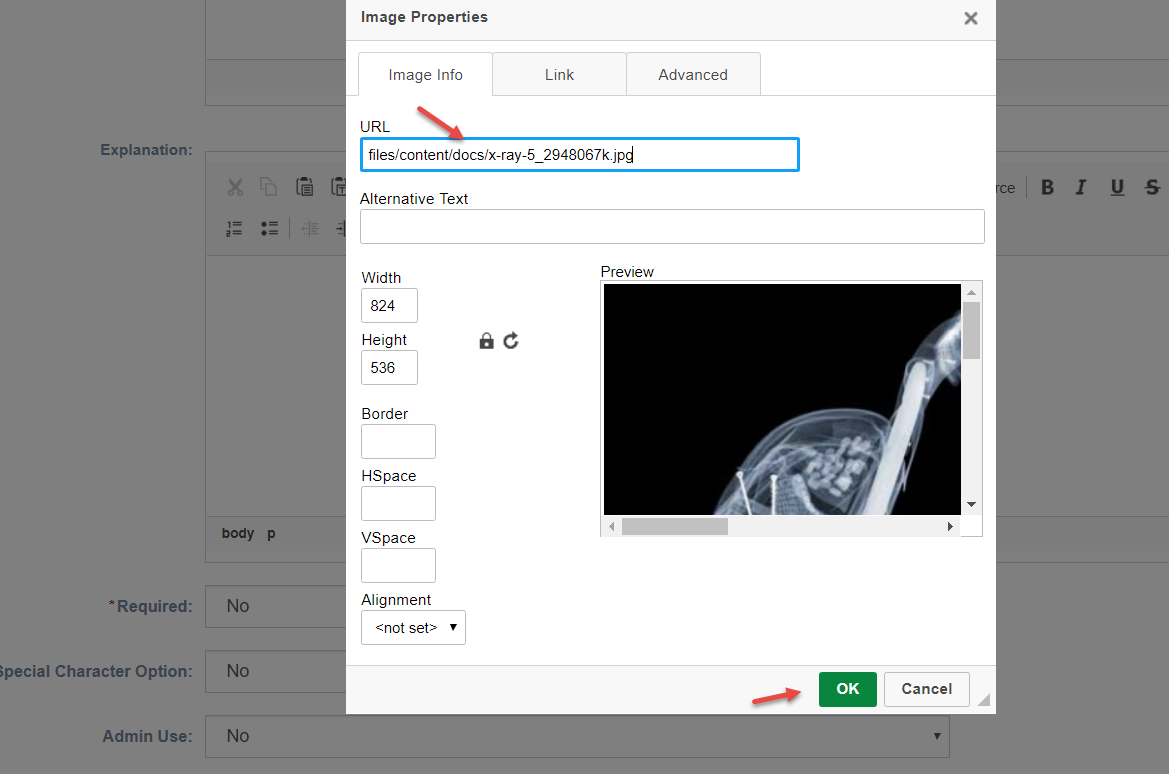
Paste the URL copied from the files section under the URL field as shown below.
Click Ok and Save the question.
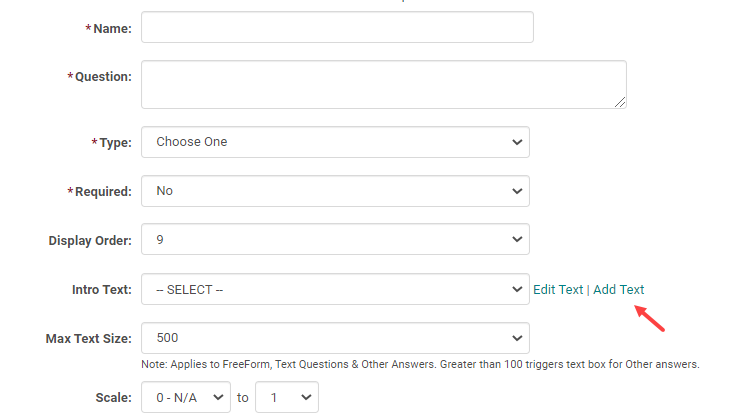
If the Post test is for a Live Activity/RSS, click on the Add Text at the end of the Intro Text field
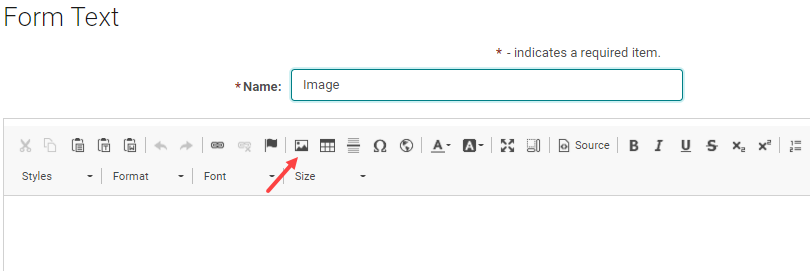
Enter a name to the Text and click on image upload icon
Paste the URL copied from the files section under the URL field as shown below.
Click Ok and Save the question.