Go to People > use the search text box or 'Advanced Search' to find the person you need to cancel
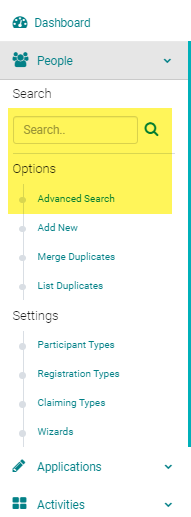
Click on the name of the person
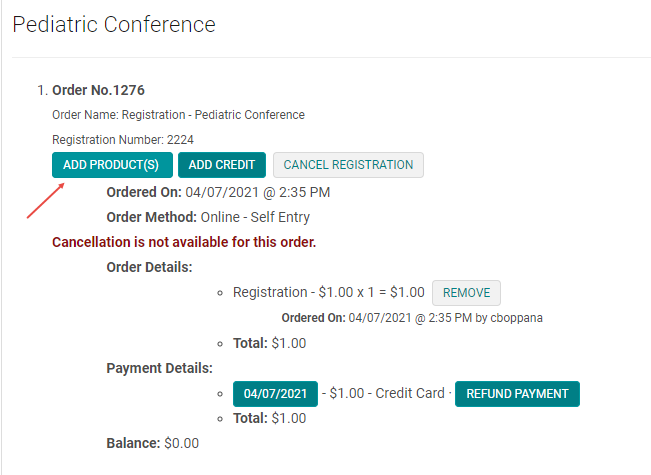
Click on the 'My Orders' button
If the value of the new product is same the old product proceed to the below steps; otherwise make the
Under the correct activity, Select 'Add Product'
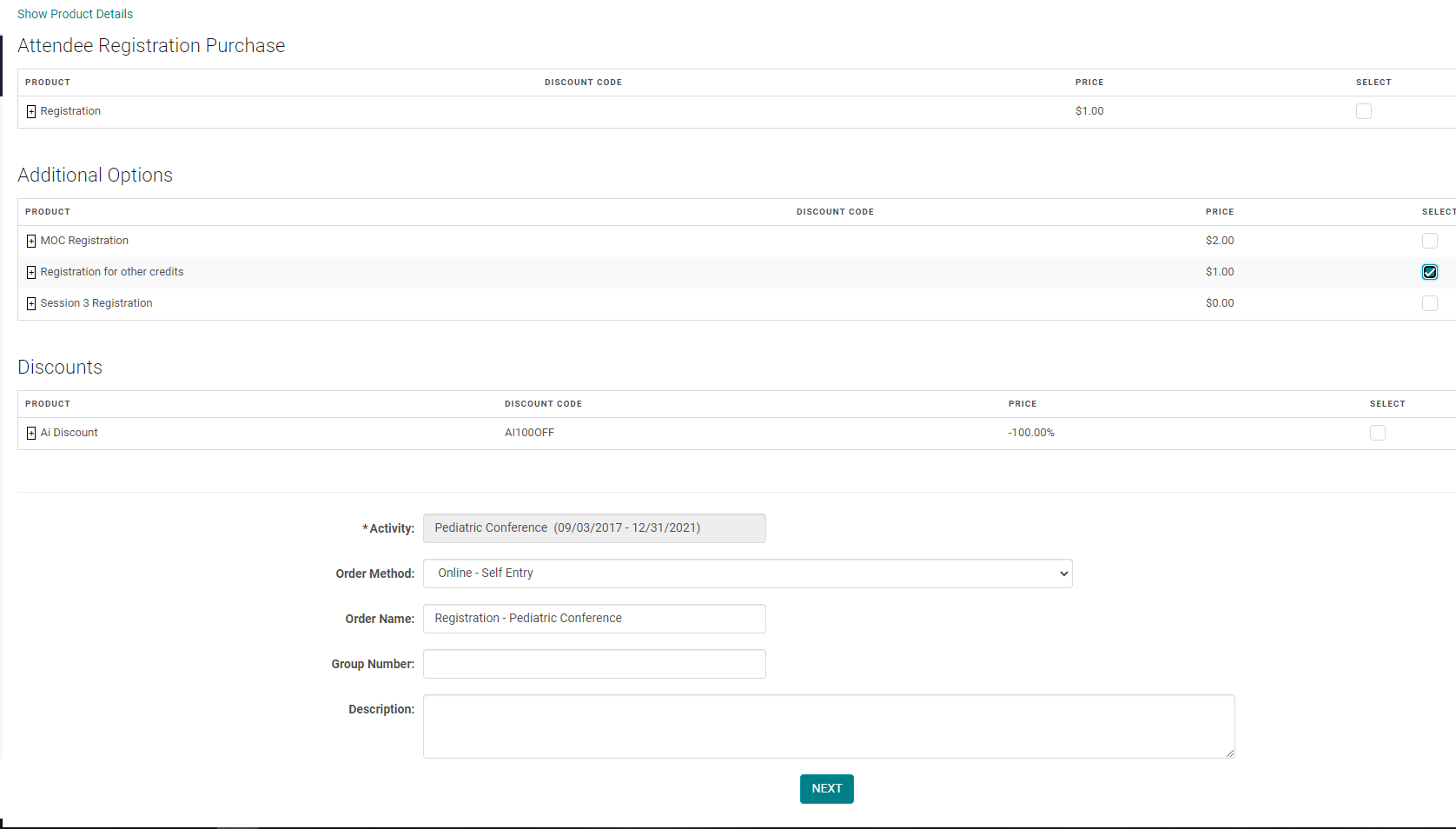
Select the new product for the registrant and click 'Next':
Enter a Note if needed, and click 'Save Changes'

The Balance is added and you must 'Add a Payment'
If the new product is in addition to the original product you leave bot the products. If it is a switch from the original product you can remove the original product.
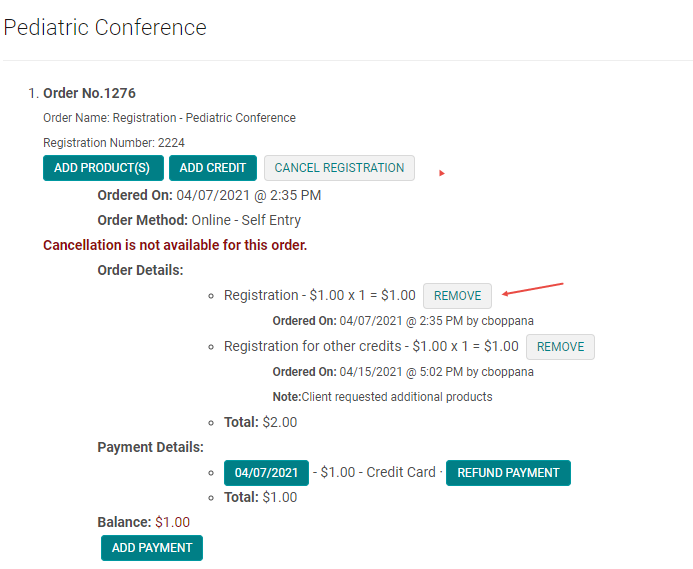
Enter a Note if needed and click 'Save Changes'

The Balance after the switch is adjusted if the both the products are of same value.

Please note: If you want the registrant to be able to pay by credit card through the online system, the order will need to be canceled completely and a refund applied so they can re-register. Otherwise, the admin can process any additional payment needed by obtaining the credit card information from the registrant and clicking 'Add Payment', or apply payment via other payment options available on your site (check/transfer, etc).