If a user fails all test attempts, you have the option to reset their attempts.
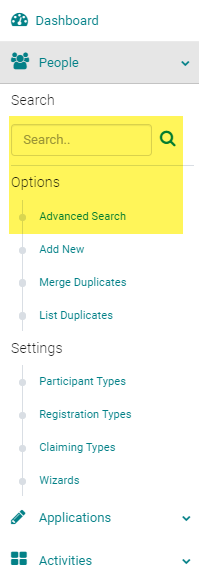
Go to People > use the text search option or 'Advanced Search' to find the user you wish to reset the test attempts for
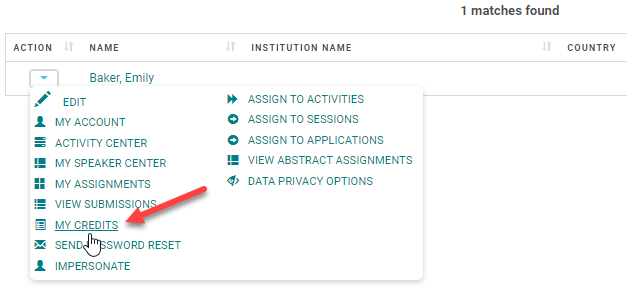
From the 'Action' column, click on 'My Credits'
Click on 'My Online Courses' or 'Enduring Materials' if the course is an enduring material, otherwise, find the course under the 'My Credit's page. The labeling is based on the site set up.

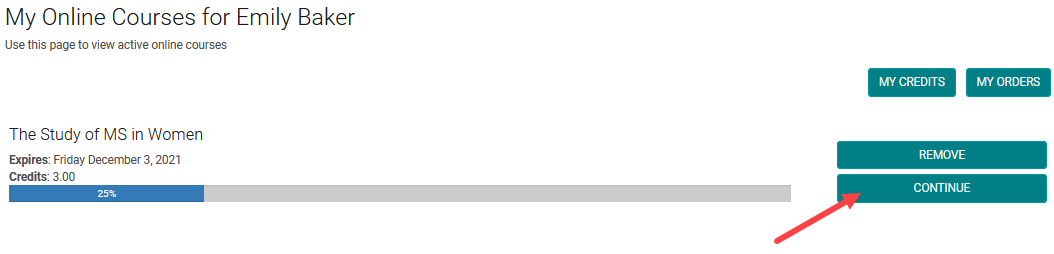
The Enduring Materials for which the user has failed test attempts will show up on this page. Click on the 'Continue' button
Next to the failed test you will see a 'Reset Attempts' link. Click on the link and the user will be able to take the Pre or Post-Test again for the allowed number of attempts.
