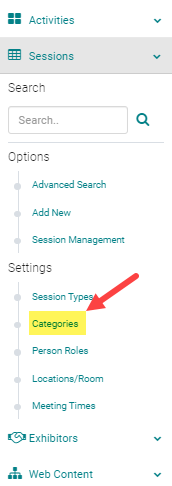
Go to Events/Sessions > Categories
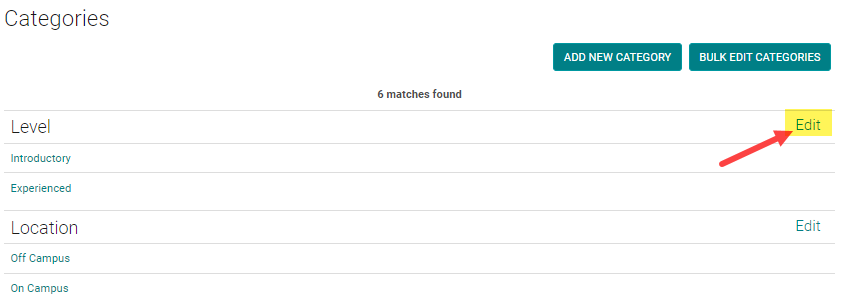
Click on the 'Add New Category' button

Enter the required fields and click 'Save'
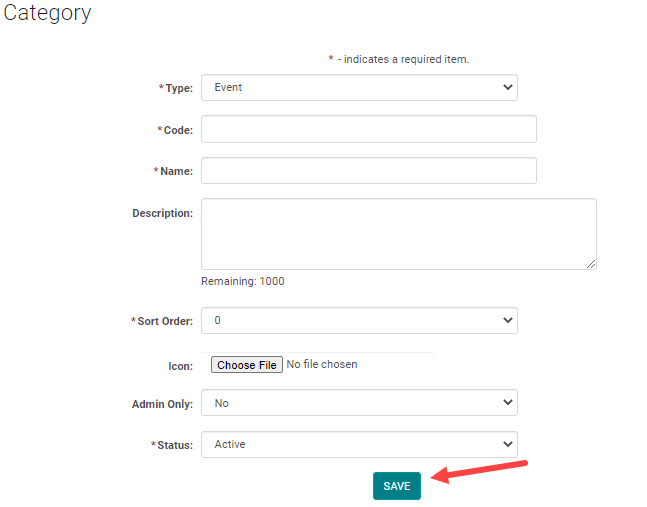
Close the window once the new category has saved successfully.
Add New Subcategory
If you are adding a new Subcategory, follow the steps above and then click 'Edit' next to the primary category
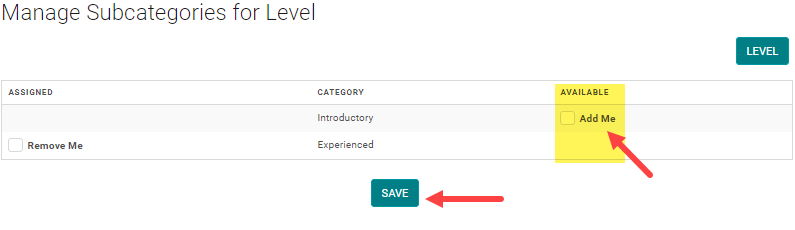
Click on the 'Manage Subcategories' button
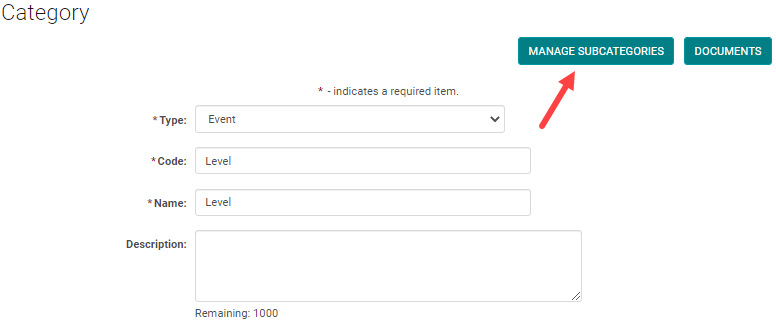
Add the available Category and click 'Save' to update your changes