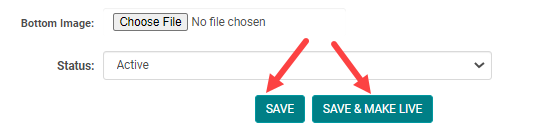
Test/Review Content: Is content that is NOT published on the website. Allows you to create "pages in waiting" or duplicate a page and make edits without publishing your content immediately.
Live Content: Is content that is published on your website (unless the Navigation Menu is set to Status = Inactive)
How to make content Live or in Test/Review status
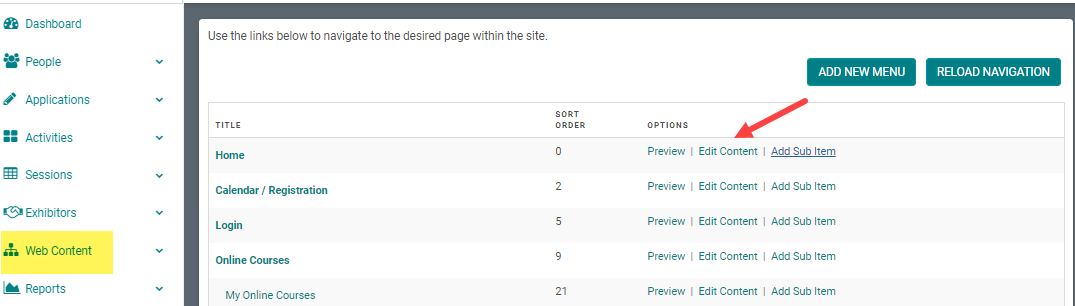
Step 1: Go to Web Content > Site Map > click 'Edit Content' next to the Menu Title you want to add content to
-OR-
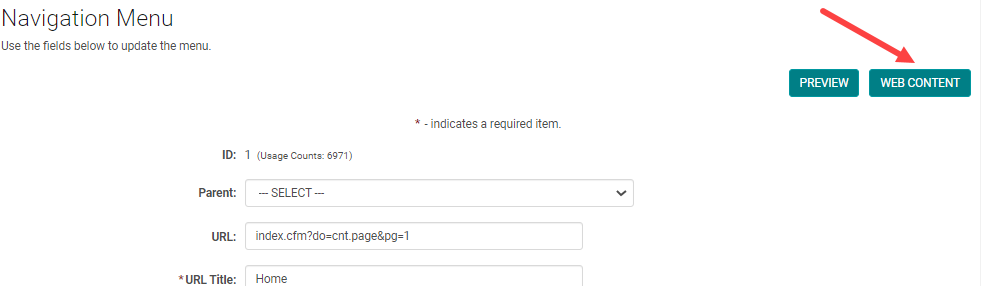
Step 1: From the 'Edit Navigation' page, click 'Edit Content'
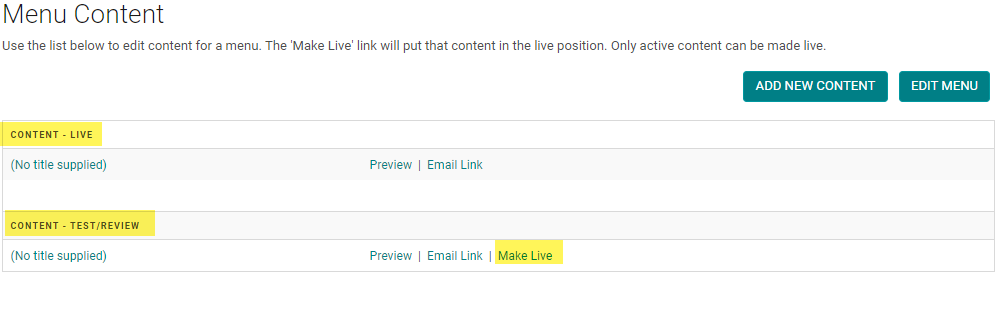
Step 2: You will see the status of your content pages are either 'Live' or 'Test/Review.' You have the option to select the 'Make Live' link when you want to publish your Test/Review page. Once you make the Test/Review page live, the current live page will change to Test/Review.
NOTE: when you click on the 'Add New Content' button, you will have the option to 'Save' or 'Save & Make Live' your content page.