Detailed below are updates made to the ACCME reporting options. The below updates have been released in your test environment as of March 3, 2022. They will be released in your live environment March 7, 2022.
We recommend you review the activity filtering updates here, in conjunction with the below.
New ACCME Reporting Flow
When you navigate to Reports > Activities > ACCME Reporting, we have updated the options to a single PARS and JA-PARS report.

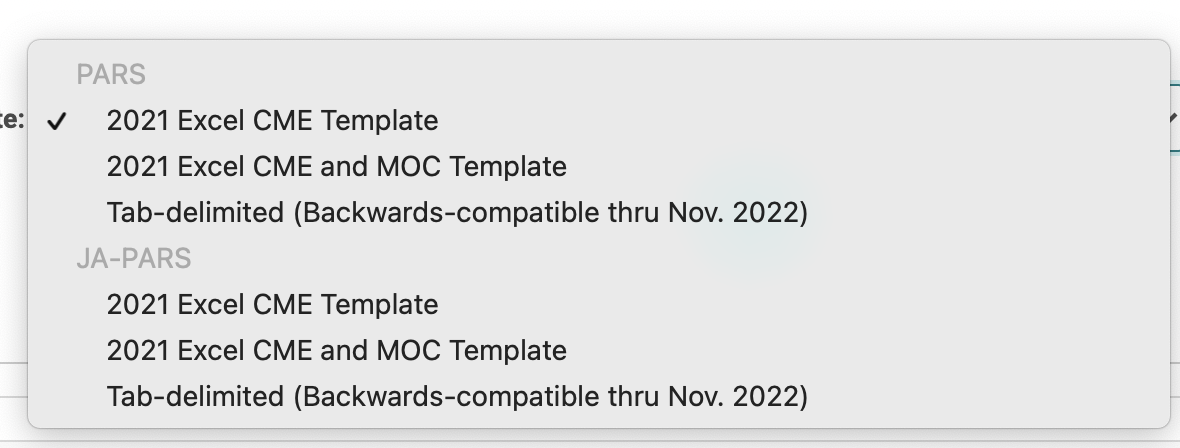
After clicking "Select Criteria and Run" you will come to a screen where you can select the template you want to use when generating your report. The template options will include:
- PARS Excel Templates for "CME" and "CME and MOC" (aligned with ACCME's November 2021 release)
- JA-PARS Excel Templates for "CME" and "CME and MOC" (aligned with ACCME's November 2021 release)
- PARS and JA-PARS Tab-delimited formats.
Note:
- Now that ACCME has released the excel templates to upload MOC registration data, we've decided to deprecate the XML report. This will no longer be an export option.
- You will only see the JA-PARS options if your site is configured for JA-PARS.
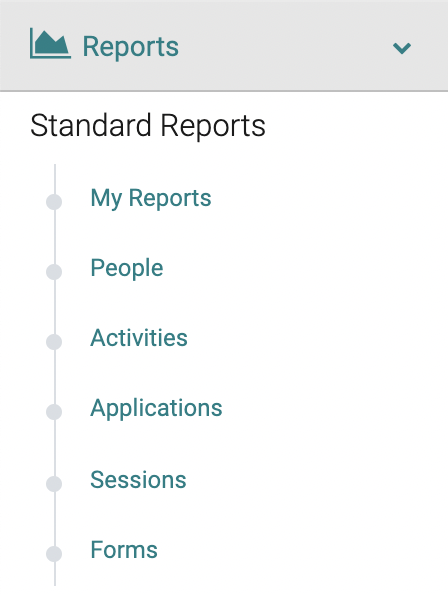
- Select sites have a different reporting flow. If your report drop down menu looks like this, you can find the PARS and JA-PARS Report under "Activities"
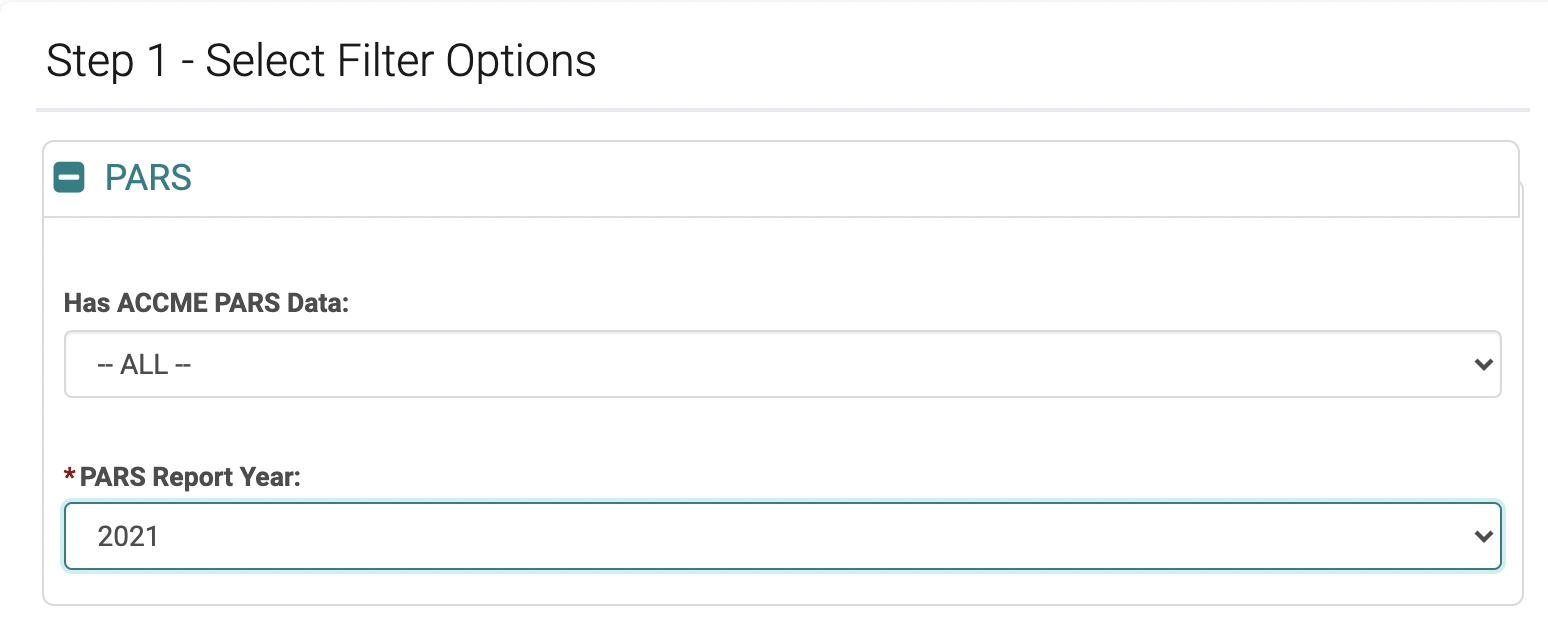
After selecting a template, you will go to a filtering screen. If you select Tab-delimited, you are required to select a PARS Report Year.
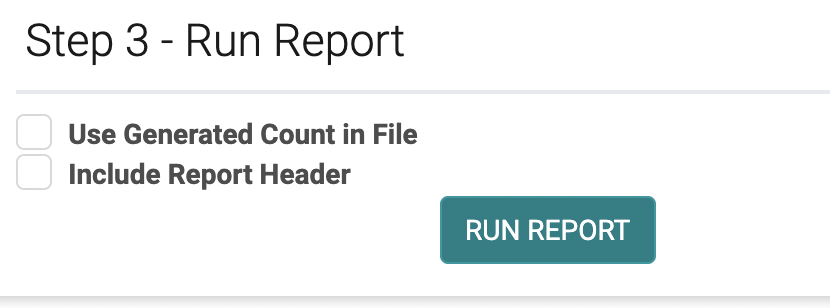
Under Step 3 - Run Report, you can select:
- Use Generated Count in File
- Include Report Header (applicable only to Tab-delimited)
The Tab-delimited report will always contain an excel file and will display the results on the screen.