Option 1: Claiming from the “My Credits” page
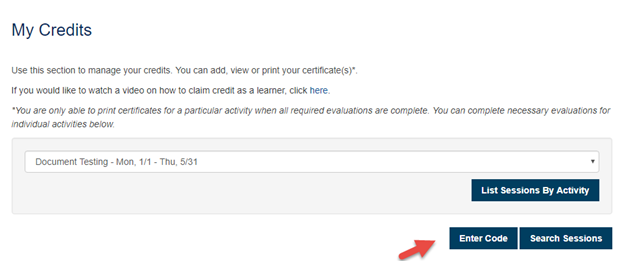
Click on “My Credits” tab

Select the Activity for which you wish to claim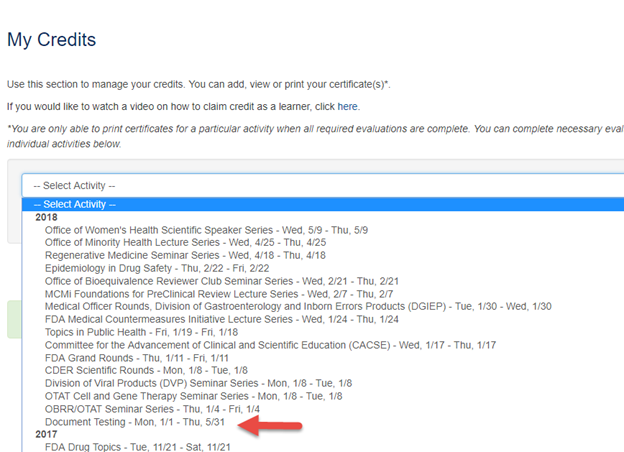
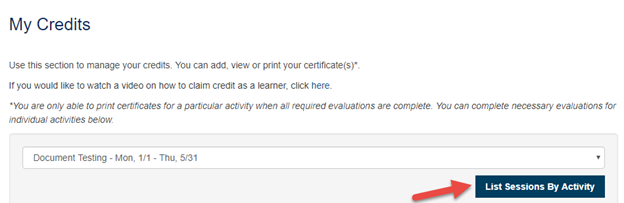
Click on “List Sessions by Activity”
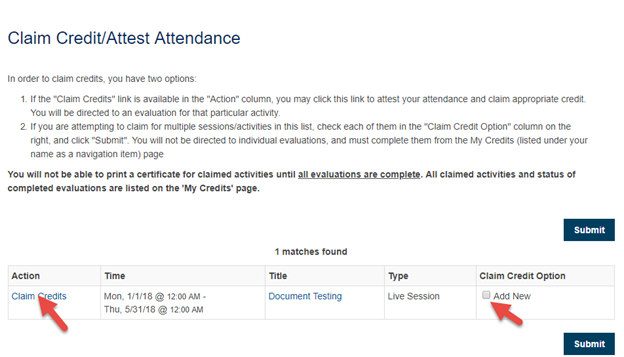
Click on “Claim Credits” or check the “Add New” box
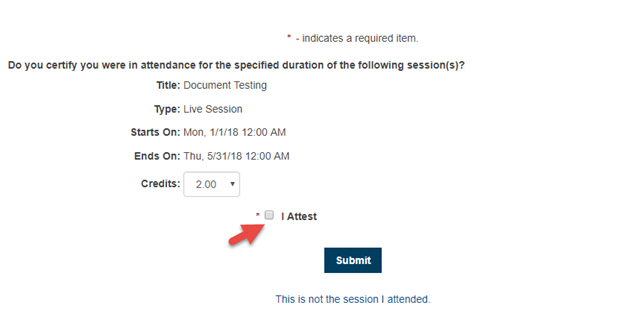
Check the “I Attest” box and click “Submit”
Attendee will be able to print the Certificate

Option 2: Claiming using Authorization Code
Authorization code is pre-set in the ‘CEU Authorization’ field on the Session page. This Authorization code is sent to attendes to be used while claiming credits.
Click on “Enter Code” on the My Credits Page
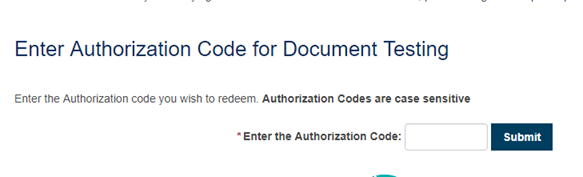
Enter the Authorization code
You will be able to claim credits by clicking the “Claim Credits” link

Option 3: Claiming through URL

The Claim Attendance URl is available on the Session page. This URL is sent to the attendee to claim credits.
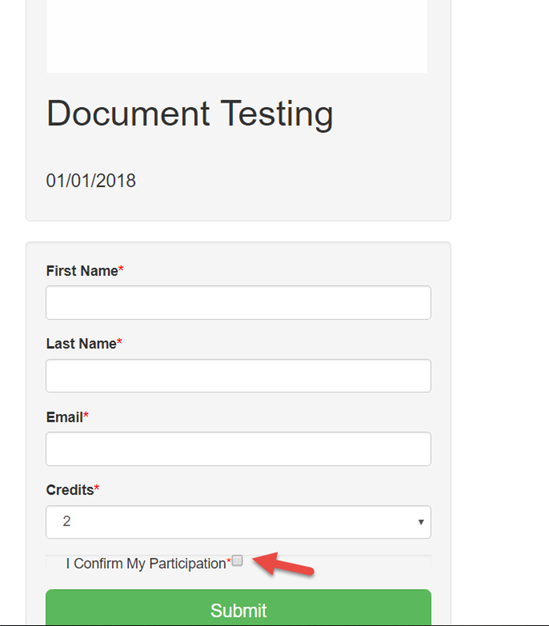
The URL will take the attendee to the page as show below where the attendee would enter the required details and confirm his/her participation in the event by click the check box and submits it.
You would see the confirmation when the credits get successfully added to the attendee’s record.