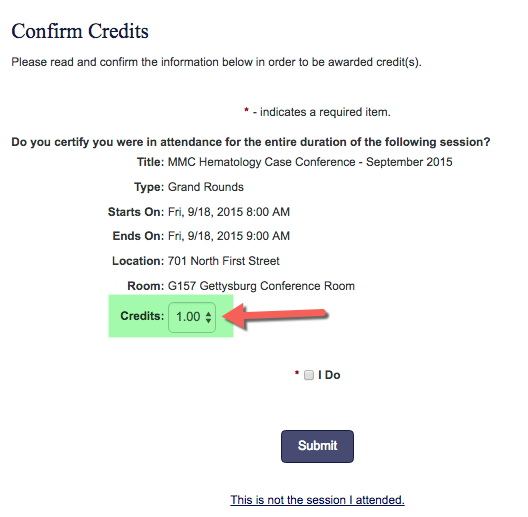
This setting only works if the end user is allowed to self-claim credits for Events/Sessions. The user will have the option to adjust their credit by .25 hour/credit intervals (up to the full amount allowed for the Event/Session) if they did not attend the full Event/Session.
Partial Credit Configuration
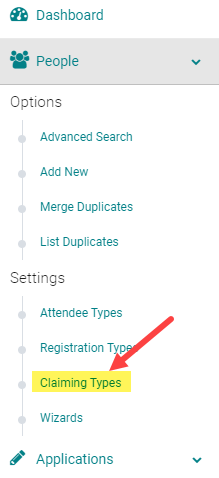
To configure this option in your system, go to People > Claiming Types
Click on the Name of the Claiming Type allowed to enter partial credit for an Event/Session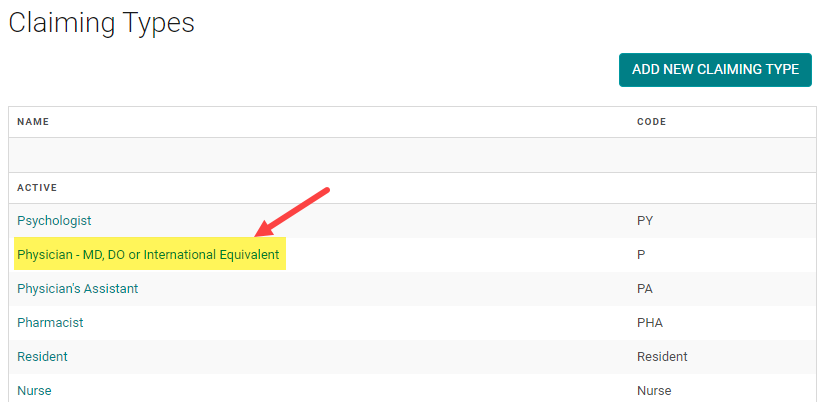
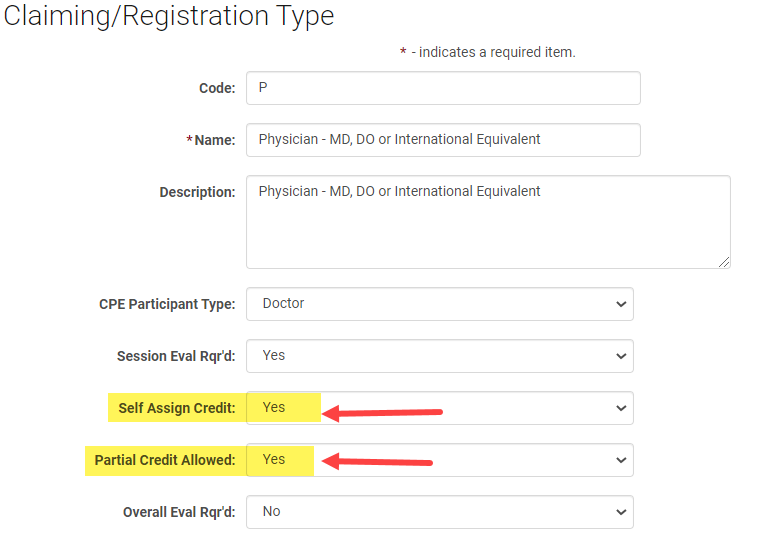
Select 'Partial Credit Allowed = Yes' and click 'Save'
Example of Partial Credit Option
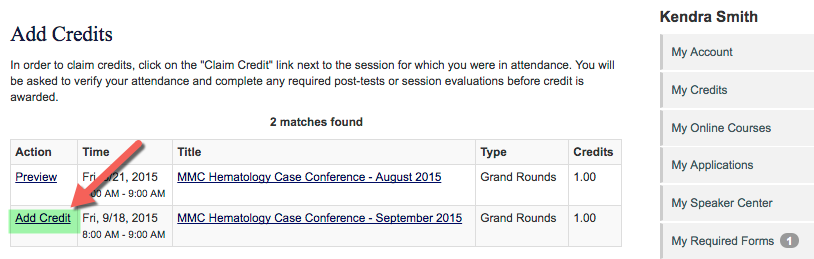
Once configured, users will have the option to adjust the credit issued when they go to the 'My Credits' page, search for the Event/Session, and click on 'Add Credit'
A 'Credits' drop-down option will be available to adjust the credit accordingly